Friday, 8 March 2013

Headset Droid v1.26.11 APK


Make your headset more advanced !
Headset Droid
Headset Droid allows you to customise what the buttons on your headphones do and gives you many other headset related functionalities while running in the background with minimal CPU usage.
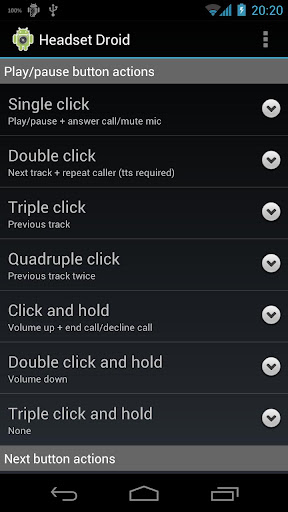
Configurable click combinations
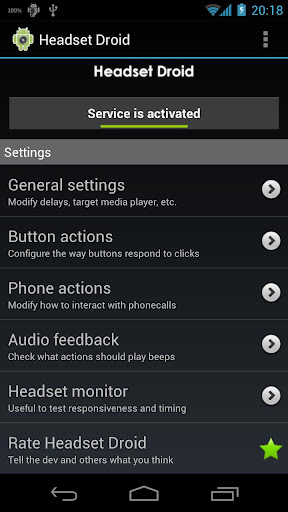
  • Single/double/triple/quadruple click
  • Single/double/triple click and hold
  • These options work for the play/pause, next and previous button.
Button actions 
  • Play/pause, next and previous track 
  • Volume up , down or reset and rise 
  • Launch app (e.g. Voice Actions) 
  • Fast forward or rewind (long press or toggle) 
  • Tasker task (search 'Tasker' in the Market) 
  • Redial 
  • Say time (requires Text-to-Speech) 
Audio/volume functionality
  • Target a specific media player to control. 
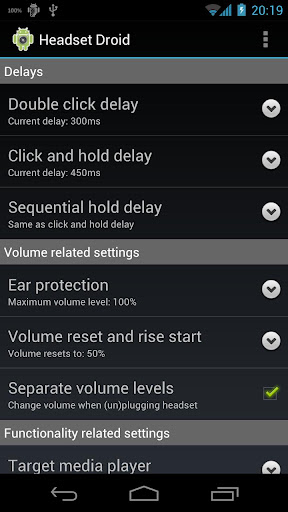
  • Separate volume levels will remember the media volume when (un)plugging your headset and restore it when (un)plugging your headset later. 
  • Ear protection allows you to limit the volume level. 
  • Volume reset and rise will start where you set it to start and rises based on the long-press delay. 
Phone features 
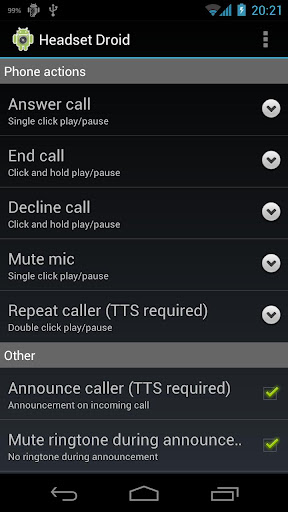
  • Option to speak the name or number of the person calling. (Requires Text-to-Speech.) 
  • Single click on the play/pause button answers/ends calls. 
  • Double click on the play/pause button declines incoming calls and (un)mutes the mic during calls. 
  • Triple click repeats the caller name or number. (Requires Text-to-Speech.) 
  • The buttons of the 5 above options are customisable. 
Extra features 
  • Monitor headset activity with timestamps. 
  • A widget to quickly switch the targeted media player. 
  • Export your settings to your SD card to switch between profiles or to back-up your settings. This function can be found by pressing menu. 
  • Turn on 'Headset (with mic) only' or 'Ignore system clicks' to selectively execute button actions. 
Compatibility 
  • Works with almost all devices/wired headsets. 
  • Volume buttons on iPod/iPhone headsets will NOT work. This is due to hardware issues. 
  • Bluetooth headsets might not work. 
  • Fast forward and rewind require the media player to support it. 
  • TTS functionality requires Text-to-Speech to be installed on your phone. 
What's in this version: (Updated : Mar 7, 2012)
  • Fixed issue with unconventional headsets and Android 4.1+.
Required Android O/S : 2.1+

Screenshots :


Download : 482Kb APK

PixelPhone PRO v2.7.0 APK


Incredibly easy to manage your Contacts and Phone!


PixelPhone PRO
Incredibly easy to manage your Contacts and Phone.
xPhone is a fast speed, stylish design, comfort and functionality. Feel the difference!

Features:
  • Quick and easy organization of favorite contacts into groups
  • Smooth scrolling groups up and down
  • Quickly navigate to a group by swiping your finger
  • Tap on bottom group indicator to hand pick a group
  • Different size of icons and labels to contacts for each group
  • Favorite action for contact in one-touch (call, send message, locate address, ...)
  • The contact card with details and history of calls
  • Classic or widescreen background image for groups
  • Quick T9 search through all fields of contacts and call history
  • Support for multiple languages for T9 search
  • Customizable dialpad size (small, medium and large)
  • Display the call history (the grouping, missed/all calls ...)
  • Support dialpad gestures (hide the keyboard, clean filters or undo input)
  • Customizable contact list (photos, phone number, organization, ...)
  • Speed ​​Dial
  • Clipboard support
What's in this version : (Updated : Feb 21, 2013)
  • New premium theme (Sunshine)
  • New free theme (Default Dark)
  • Fix: Copy to clipboard (restored)
  • Fix: Hide application after action
  • Fix: Hide phone number after action
  • Other minor fixes
Required Android O/S : 2.1+

Screenshots :


Download : 2Mb APK

Next Launcher 3D v1.20 APK


Next Launcher, designed by GO Dev Team, is officially released now!
Next Launcher 3D
At the end of 2012, we have a surprise for you! Next Launcher, designed by GO Dev Team, is officially released now!

Next Launcher is a new launcher application which is full of glorious 3D elements and dynamic effects. Fancy 3D visual elements, gorgeous transition effects and humanized gestures bring you a unique and splendid operation experience and visual enjoyment.

Features:
  • Various operation for icons: icons support rotation, reset, select, align and so on. Operation is easy and fantastic.
  • Unlimited screen layout: placing icons or widgets randomly which forms your own home screen.
  • Stereoscopic screen preview: lots of screen display effects, dazzling animation of screen switching about adding or deleting screen.
  • Quick screen management: adding different kinds of elements in screen edit including application icons, folders and widgets. It’ll support changing wallpapers and themes soon.
  • Rotatable dock: inverting upward or downward the Dock can quickly switch among home screen, screen edit and screen preview.
  • Powerful app drawer: icons can be arranged by names or by time, and folders can be created by overlaying icons. Batch mode and operation of adding apps to screen are also available. 
  • Beautiful scrolling effects: a variety of app drawer scrolling effects that provide a distinctive screen switching experience.
  • Fancy 3D widgets: 3D widgets that are based on Next Launcher are coming soon!
Tips:
  • Please make sure your device has installed Google Play.
  • Phone performance:Android 2.3.3 and up; Dual-core models is better.
  • Suggestion:Watch the video of Next Launcher first, to know about the cool operation of the product.
  • Notice: We suggest users which use Galaxy Nexus don't remove the Menu icon.
What's in this version: (Updated : Feb 28, 2013)
  • (New) App drawer supports vertical scrolling (Preferences -> App drawer settings -> Scroll orientation -> Verticalpage by page
  • (New) Supports changing customized icon (Long press an app icon -> Click change icon -> Click the first icon on the top right corner)
  • (Improve) Supports Spanish、Italian、Portuguese、Serbian、Hungarian、Ukrainian、Swedish
  • (Fixed) Some FC bugs
Required Android O/S : 2.2+

Download : 3.5Mb APK

MovieTube (Full) v2.1.3 APK


Full Length Movies for Free!

MovieTube (Full)
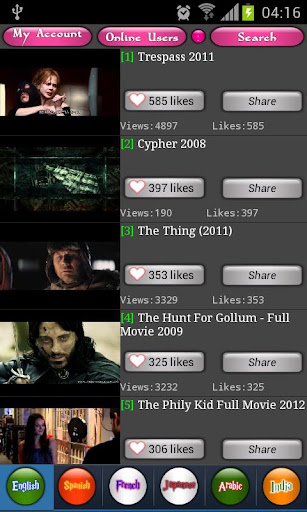
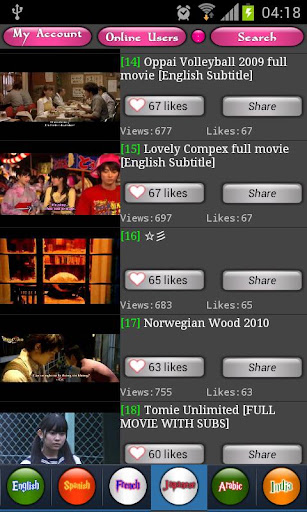
This is the Advertisement-Free version of MovieTube: Full Length Movies for Free.
 There is no functional difference with the Free Version but both Ad Bar and notification ads are removed. 

Thanks for supporting us to build the NO.1 Free Movie App.

Required Android O/S : 2.2+

Screenshots :
 
Download : 1.3Mb APK

Friday, 1 March 2013

AutoKiller Memory Optimizer PRO v8.3 APK


Speed up your rooted phone and get decent battery life with AutoKiller!

 
AutoKiller Memory Optimizer PRO
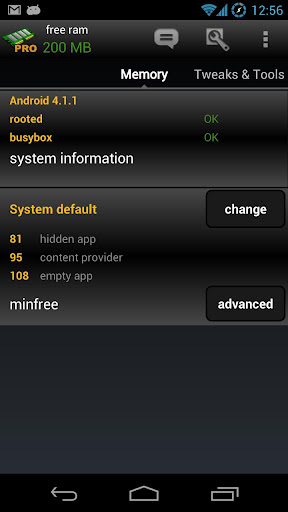
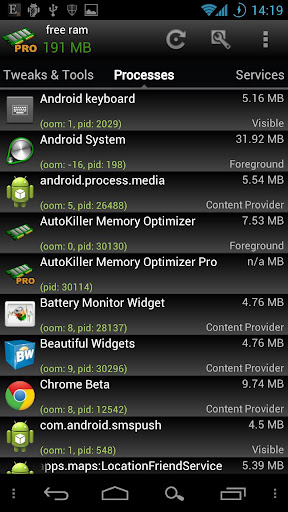
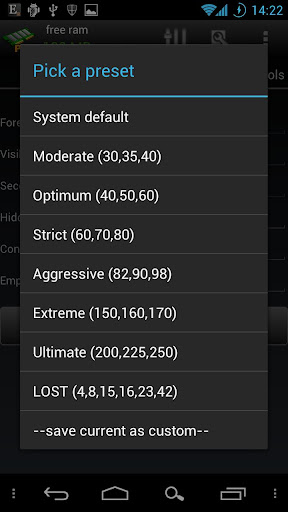
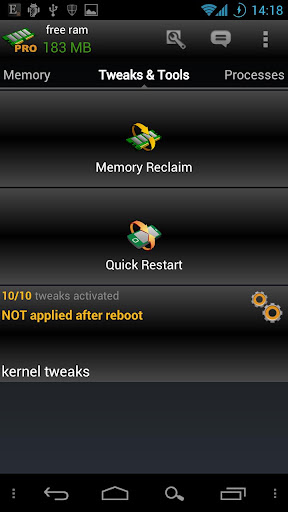
AutoKiller Memory Optimizer is not a regular task manager, it is an award winner minfree tweaker, it fine tunes android systems inner memory manager to keep your device fast over time. As a side effect it also lowers battery consumption. Also includes a manual process/service manager.
  • ROOT REQUIRED to set minfree values, unrooted devices will not have this feature
  • if you have questions or you face errors please check home page or write a mail
  • for more details see home page
Pro Features:
  • no ads
  • Chuck Norris mode enabled
  • apply kernel tweaks on boot
  • alternate preset (while screen is off)
  • all widgets
  • quick restart 
  • memory reclaim
Please be careful, apps with very similar look and name are distributed, they can be malicious.


What's in this version : (Updated : Feb 28, 2013)
  • new DashClock extension
  • updated Chuck Norris mode! (way more powerful)
  • faster application load
  • updated root libraries
  • better and faster pro key handling
  • updated translations / fixed Japanese
  • processes shortcut bug fixed
Required Android O/S : 1.6+

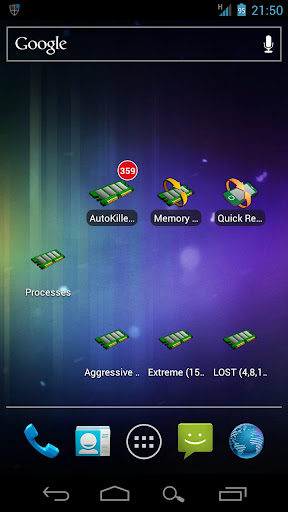
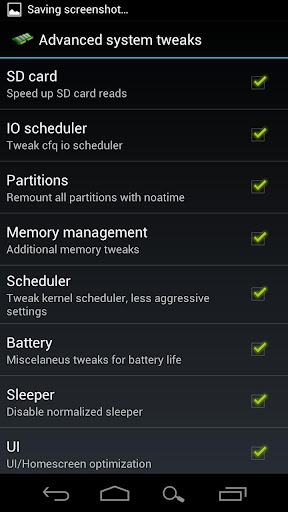
Screenshots :


 Download : 1.34Mb 

 
Instructions : 
  • Copy 3 files in AutoKiller PRO v2.0.1 TB RAR to Titaniumbackup folder > Restore 'App+Data'
  • Install AutoKiller Memory Optimizer APK

Battery Booster (Full) v6.0 APK


Battery Booster - Boost Your Battery's Running Time and Max Battery Life !


Battery Booster (Full)  
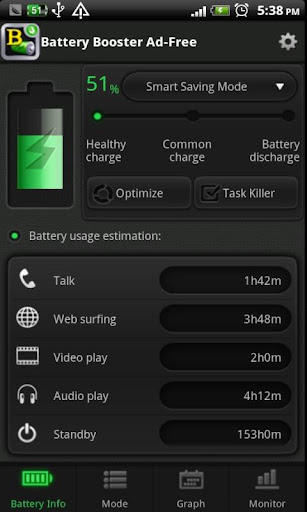
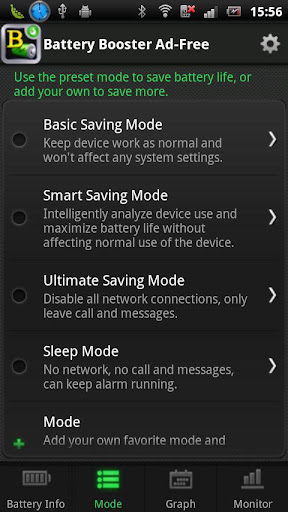
Based on system specifications, Battery Booster provides the most accurate information on your battery charge, which includes an auto-updating live chart visually tracking your battery usage, and the real-time battery capacity, temperature, voltage, etc. Battery Tweak, including Smart Battery Saver and convenient settings for managing Wifi & Bluetooth, can help to squeeze out the peak performance from your phone.

Battery Booster is a powerful battery boosting tool and power management application specially designed for Android devices.

Features :

  • Real-time battery status (capacity, temperature, voltage, and charging status, etc) monitor and battery usage tracking 
  • Homescreen widget support (Add to homescreen with Menu -> Add -> Widgets -> Battery Booster) 
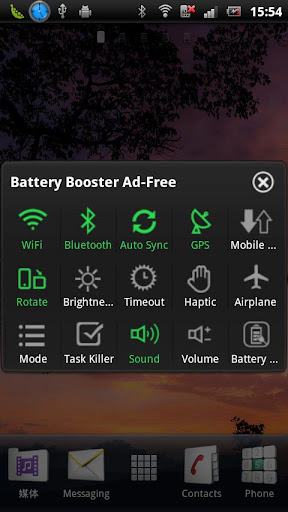
  • Shortcuts to WiFi/Bluetooth/Screen Brightness/Screen Timeout settings 
  • Real-time battery use monitor and management to save more power 
  • Battery Calibration Notification to maximize your battery life span 
  • Settings to automatically turn off WiFi/Bluetooth when device is locked. 
  • Settings to automatically turn on WiFi/Bluetooth when device is unlocked. 
  • Settings to automatically turn off WiFi/Bluetooth when your battery is low. 
  • Settings to enable beep and select beep tone/interval when your battery is low. 
  • Settings to enable beep and select beep tone/interval when your battery is full. 
  • Settings to enable beep and select beep tone/interval when your battery is overheated. 
  • Save more battery with built-in smart task manager (Based on Memory Booster - Android RAM Optimizer) 

What's in this version: (Updated : Feb 28, 2013)

  • Improve UI to support tablet better
  • Fix Bug for Healthy/Common Charge indication
  • Add app information
  • Other minor debug & improvement

Required Android O/S : 1.5+


Screenshots :


Download :3Mb APK

Gallery Lock Pro v3.1 APK

Selected as the App of the Year by Times Magazine! 
 
Gallery Lock Pro v3.1
 
Hide Pictures/Videos!
Gallery Lock manages photos and videos by individually hiding them and it is an app that is absolutely needed for protection of personal privacy. The product is one of the most popular apps in the world and is one of the top 10 apps sold on Google Market.

Features:
  • Management of photos by individual folders
  • Can be used for both photos and videos
  • Can be conveniently used with other gallery apps
  • Stealth mode provided (a function that hides the icons)
  • Beautiful designs
  • Pattern lock provided
(Important!) Before deleting the Lite version, undo the hide function of the photos and the videos. If you uninstall the program without undoing the hide function, the photos and videos will be lost.

Google will make a pre-charge of $1 the first time a transaction is made on Google Market to verify the information on your credit card. This can be misunderstood as being charged twice but there is no need to worry as this pre-charge will not appear on your monthly statement.

It is recommended that you purchase the app after checking to see if the free assessment Lite version runs properly.

"Outgoing Call" permission is needed for Stealth Mode

Method to recover photos when problems occur

If for some reason Gallery Lock does not run, recovery can be made by following the method below.
  1. Uninstall Gallery Lock
  2. Download Gallery Lock from the Market and install it.
  3. Go Setting in the Gallery Lock, Tap "Find/Recover Missing files" menu.
  4. The missing files will be recovered to /mnt/sdcard/DCIM/recover path.
  5. run default Gallery application and check whether those files are recovered properly.
# Please send an email for any questions that you have. The developer of the app does not have authorization to reply to comments here.

What's in this version : (Updated : Aug 14, 2012)

  • Following Features Added(2012.08.13)
  • Optimized the layout of Samsung Galaxy Tab,Note,S3
  • Improved the resolution quality.
  • Added feature for easily selecting Mp3 Path(in Setting)
  • Added a random playing option when Slide Show(in Setting)
  • Fixed some bug when recovering missing file.

Required Android O/S : 2.2+


Screenshots : 


Download : 2Mb APK