
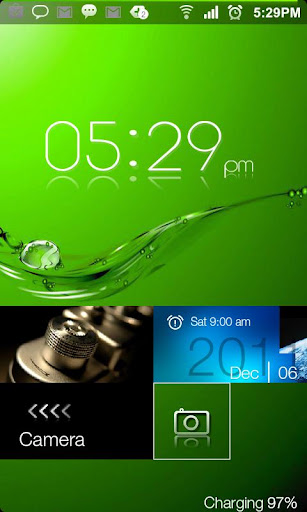
Lockscreen HD amazing effect!
Windows 8 Pro Lockscreen
MetroUI HD modern Lockscreen!
Go Launcher EX Locker HD
Windows 8 Metro UI GO LAUNCHER EX LOCKER THEME HD.
ATTENTION
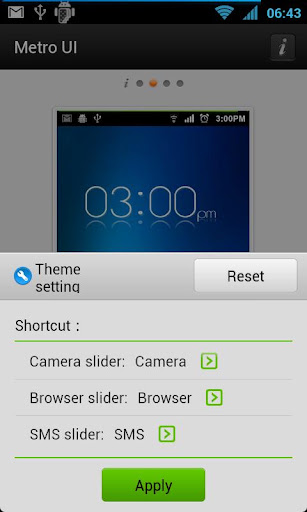
Now menu to select shortcut
You can customize and use own wallpaper:
go on Go Locker\Wallpaper and choose yours
Notice: Make sure GO locker has been installed.
Metro Lockscreen.
How to install:
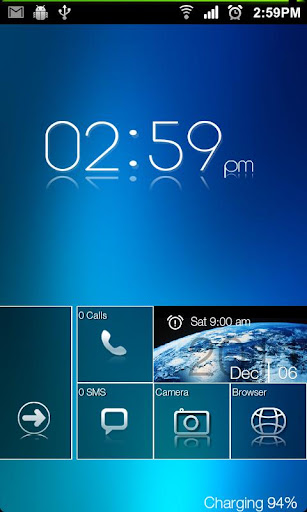
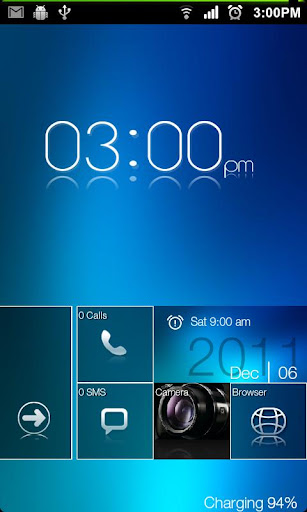
Screenshots :
Go Launcher EX Locker HD
Windows 8 Metro UI GO LAUNCHER EX LOCKER THEME HD.
ATTENTION
- Android Version 4.1.1 has some problems with Go Locker
- PLEASE SEND A EMAIL US SO WE CAN HELP.WE WILL SEND THE SOLUTION
- REMEMBER TO SEND YOUR NAME AND NUMBER OF PURCHASE AND WILL HELP IMMEDIATELY.
- Especially with the application Golocker
Now menu to select shortcut
You can customize and use own wallpaper:
go on Go Locker\Wallpaper and choose yours
Notice: Make sure GO locker has been installed.
Metro Lockscreen.
How to install:
- Make sure GO Locker have been installed
- GO Locker > My locker to choose the theme
- OR in go launcher - Click MENU > Preferences > Theme Settings > GO Locker -> My locker to choose the Metro theme.
- Make sure GO Launcher EX or above and GO Locker v1.30 have been installed
- Click “MENU—->
- Preferences—->
- Theme Settings—->
- GO Locker-> My locker””
- Choose the theme "Metro HD"
- (New) change the camera sms, and internet browser access
Required Android O/S : 1.6+
Screenshots :


No comments:
Post a Comment